Proposals that end with a saved card
Your client picks a package, saves their card and signs, all from one link. Their invoices then go out and get paid without you.
Free for 30 days. Cancel any time.

Most proposal tools stop at the signature
With most tools, a signed proposal is where your admin begins. You raise the first invoice by hand, ask the client for card details, and then wait on a payment they agreed to weeks ago.
Propel bills from the proposal itself. Whatever your client accepted turns into invoices on the schedule you set, and each one is charged to the card they saved before signing.
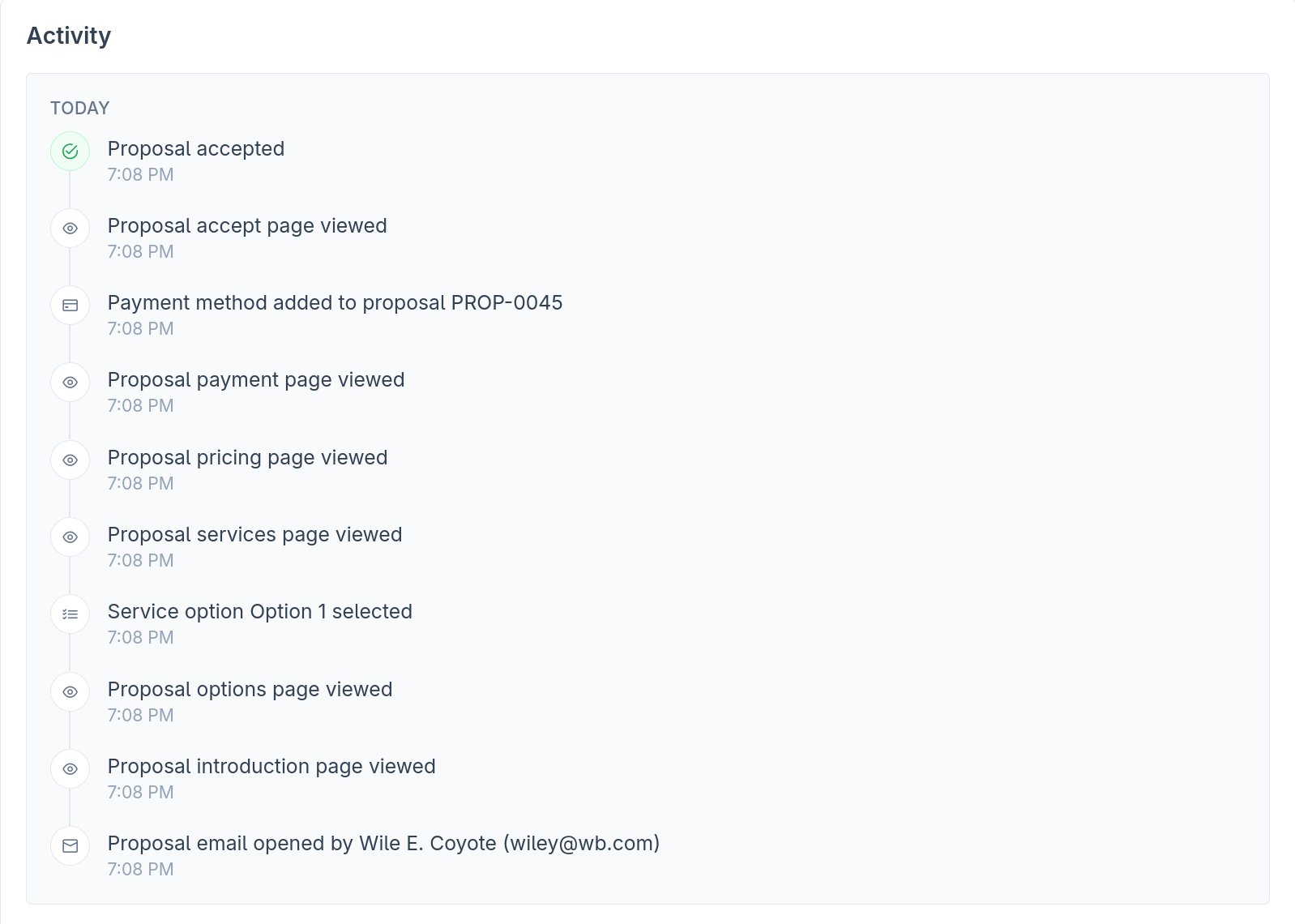
Know when they've opened it
See when your client opens the email and which pages of the proposal they read, so you know when to follow up.
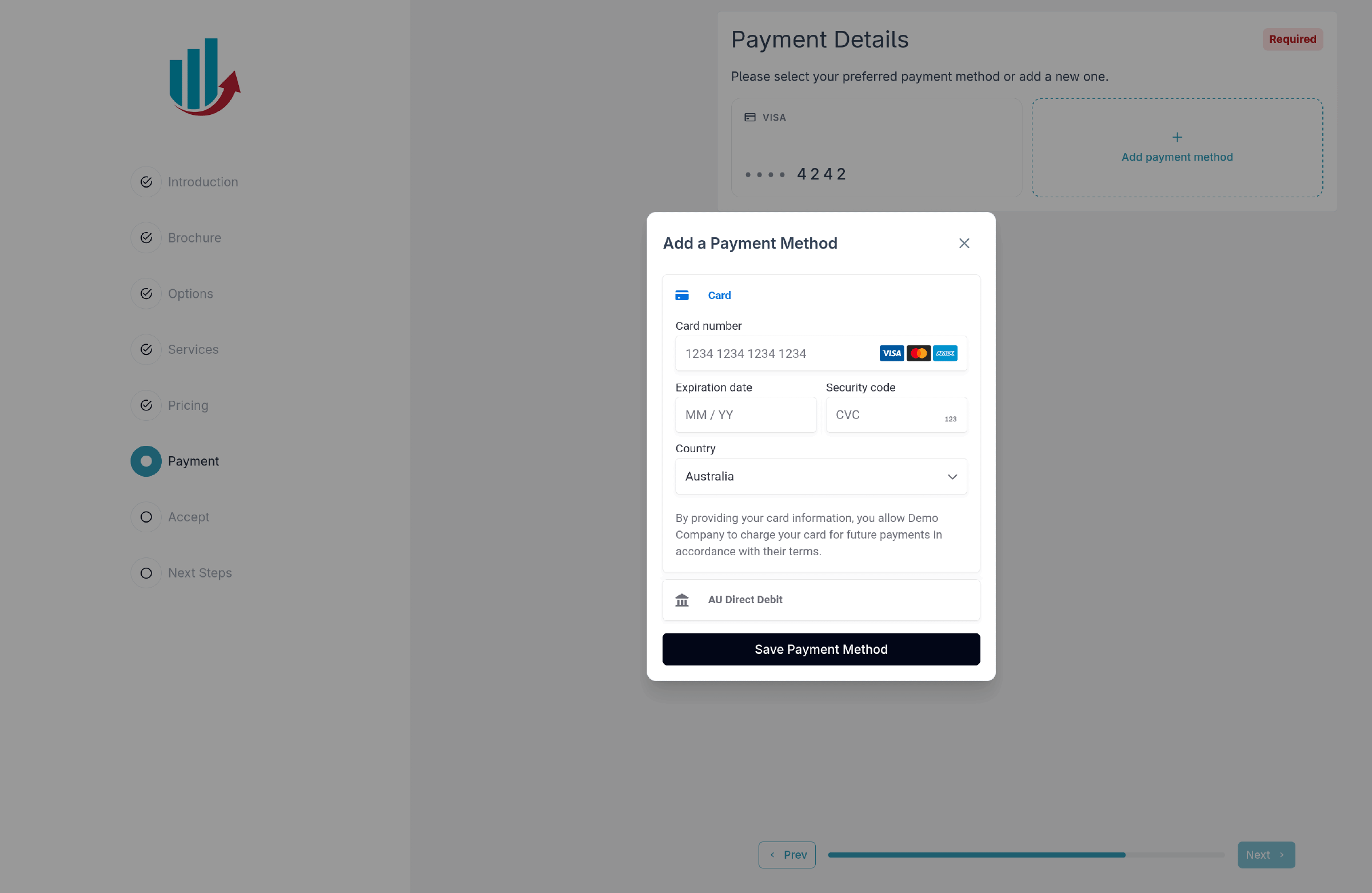
They save a card before they can sign
The Payment step comes before Accept, so you're never chasing card details from a client who has already said yes. It's on by default. Turn it off for a client who pays some other way.
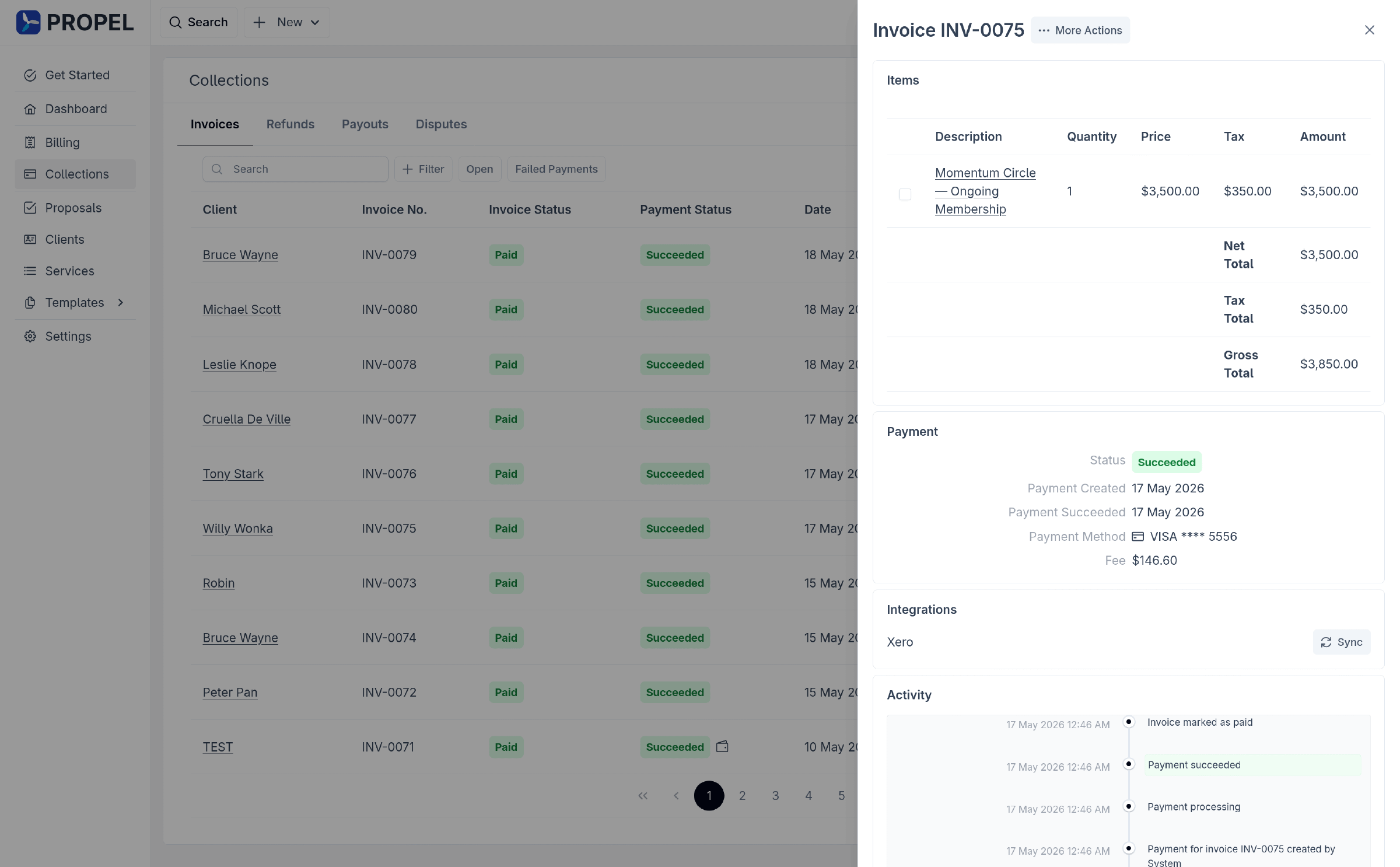
Their billing is set up when they accept
The package they picked becomes a one-off charge, a deposit and balance, or an ongoing retainer. Billing starts when you choose: on acceptance, on the project start date or on a set date. Propel raises each invoice when it's due, charges the saved card and sends it to Xero.


What's included
- Templates for proposals, services, terms and intro text
- Fixed, hourly or ranged pricing
- Optional add-ons and tax on every line
- Your logo and brand colour on every proposal
- Create and send proposals from Claude
- Expiry dates, with an option to extend
- Configurable reminder emails
- Alerts when a proposal is accepted
- Acceptance rate and average time to close
- Pipeline value and proposals about to expire
- Value won compared with payments received
Send your next proposal through Propel
Start your free trial. The setup videos take about ten minutes, and you can send your first proposal at the end of them.
Start your 30 days free